
Everything You Need to Manage Student ID Cards
Powerful tools for school administration, data collection, student management, ID card design and printing.
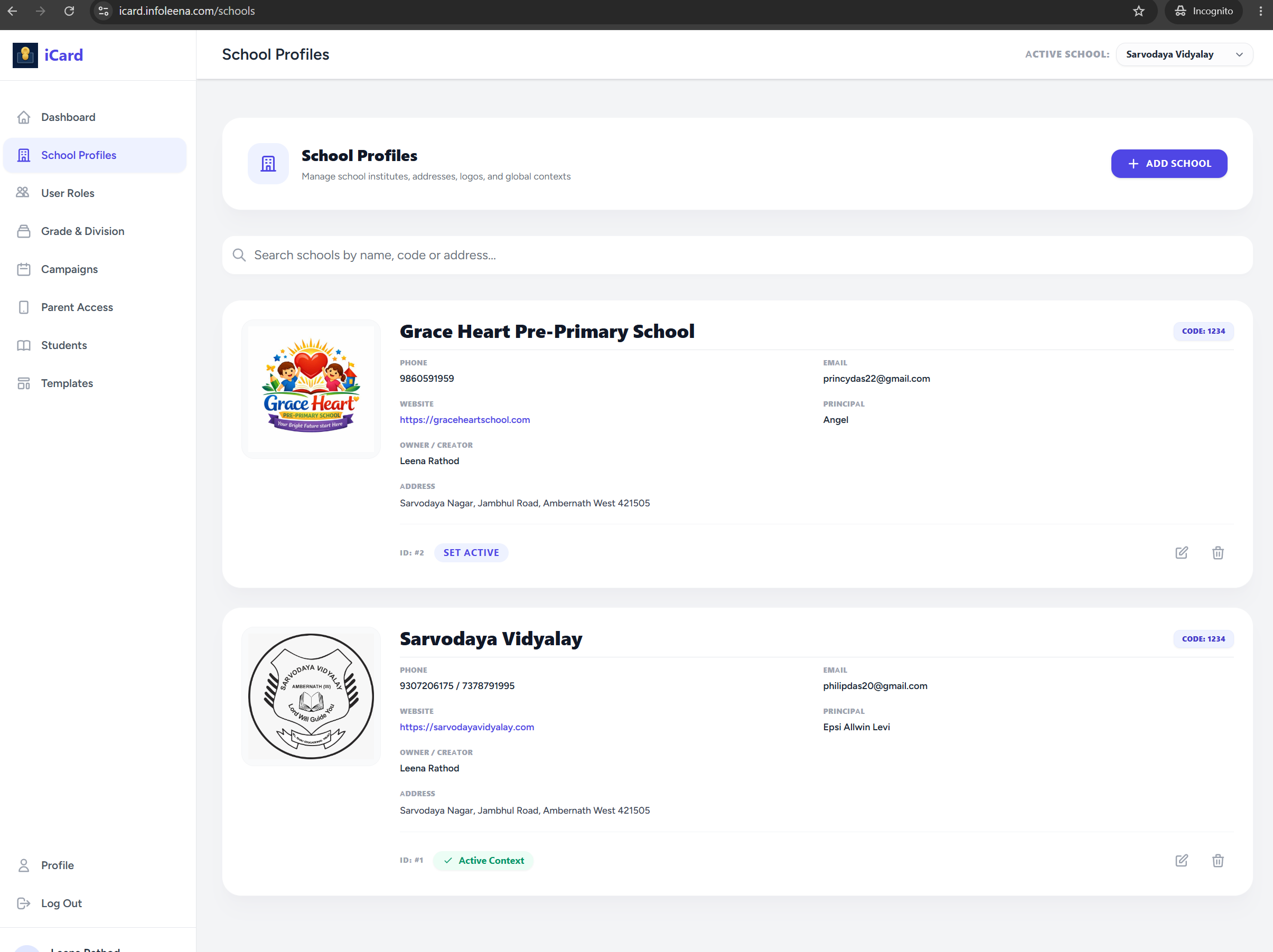
School Profiles & Branding
Configure multiple school campuses, brand assets, logos, and essential details dynamically. Switch dashboard context instantly to manage different schools under a single master account.
- ✓ Logo & custom color integrations
- ✓ Global school context switching controls
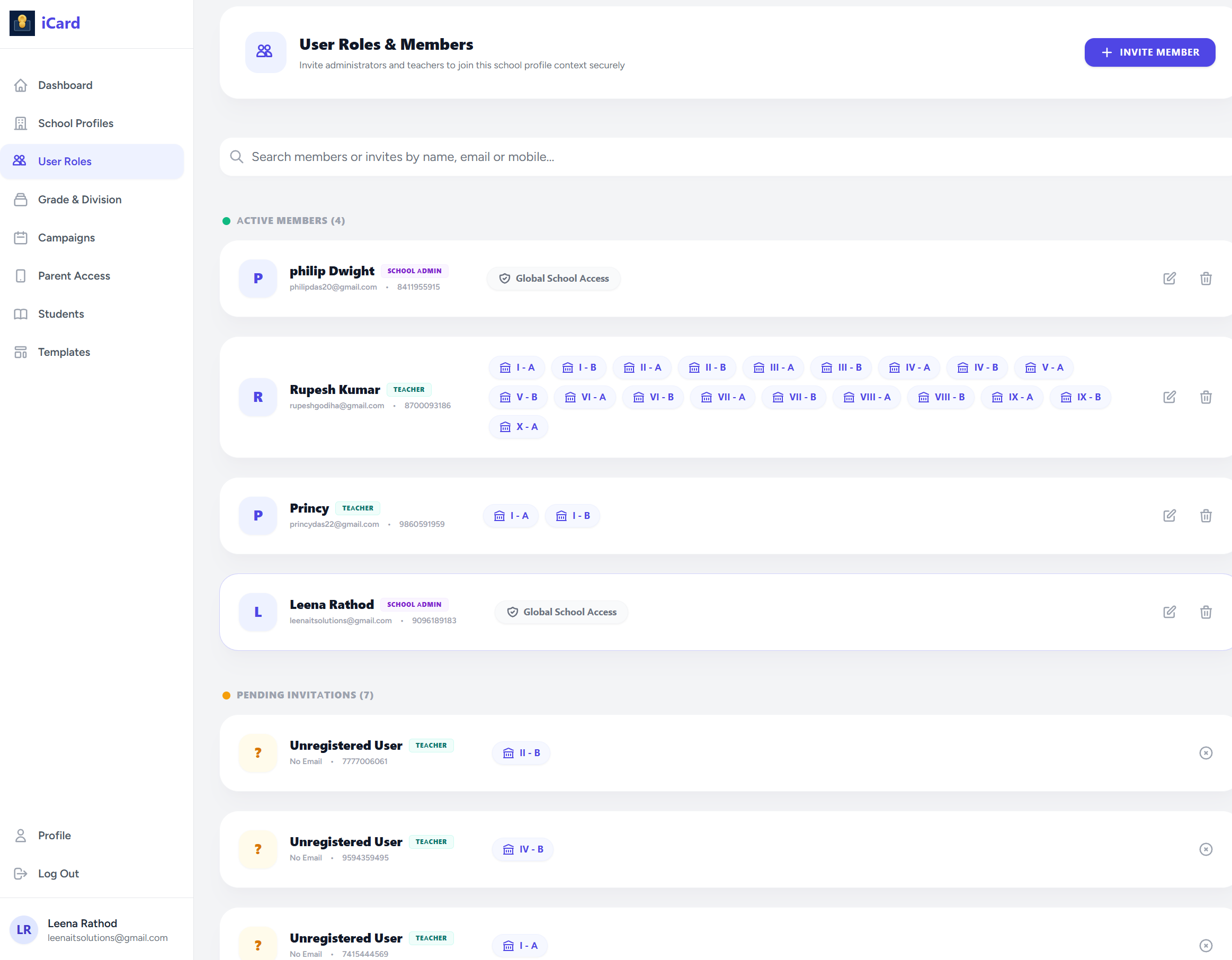
User & Role Management
Maintain complete organizational oversight with fine-grained role allocations. Secure access controls isolate capabilities for system operators, school administrators, and class teachers with invite setups.
- ✓ Class and Grade assignments for staff members
- ✓ Teacher invitation flow & global school access limit configurations
Grade & Division Setup
Organize campus rosters with hierarchical grouping structures. Define grades, sections, and map specific divisions to teachers.
- ✓ Assign grades and divisions in seconds

Campaign Management
Create time-bound campaigns for collecting student information during specific enrollment periods or academic cycles. Define clear deadlines and automate parent login allocations.
Active Campaign
iCard 2026–27
Start Date
Aug 01, 2026
End Date
Sep 30, 2026
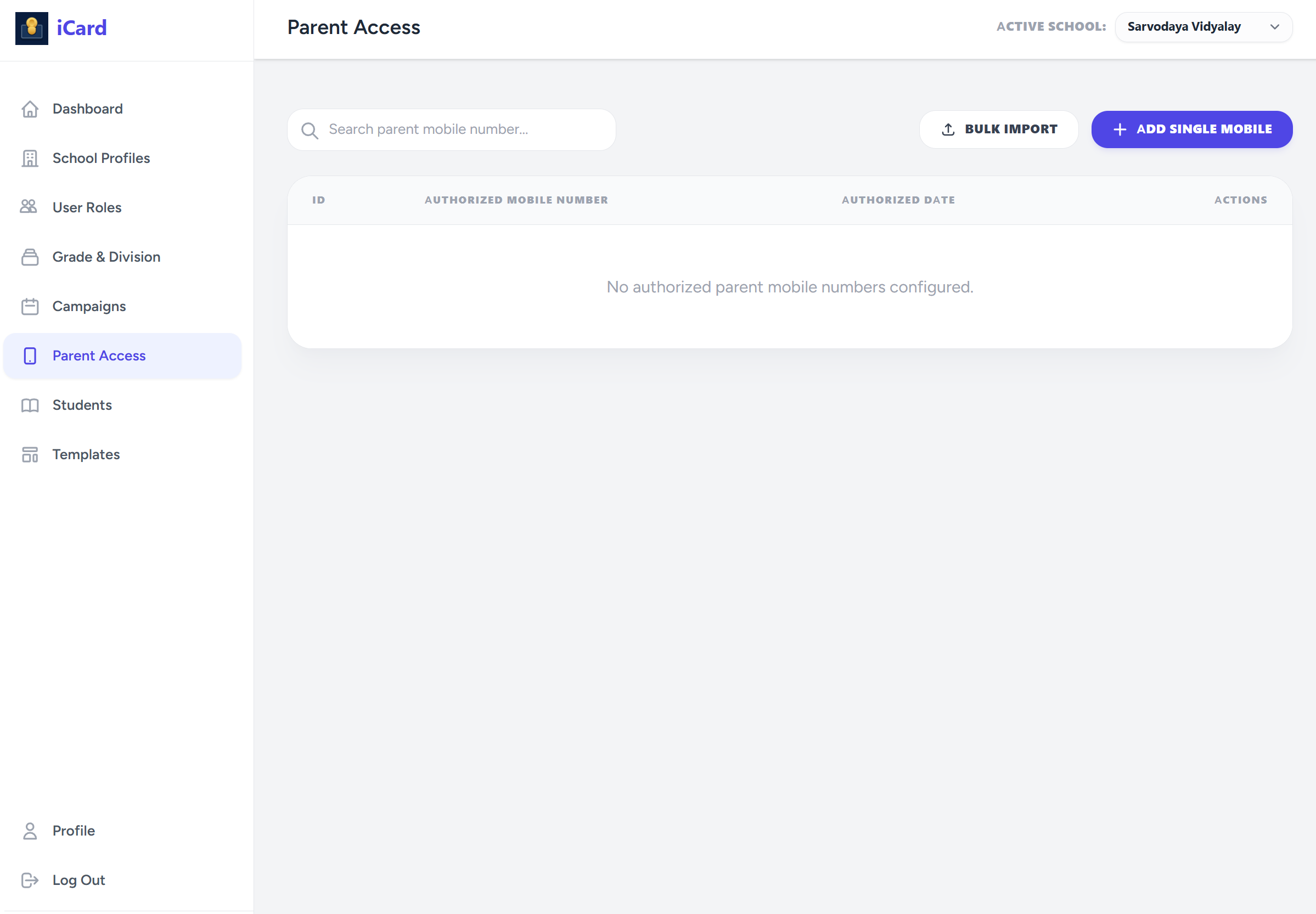
Parent Access Management
Control and authorize parent logins. Match parent mobile numbers during signup to automatically link student profiles, guaranteeing secure data capture.
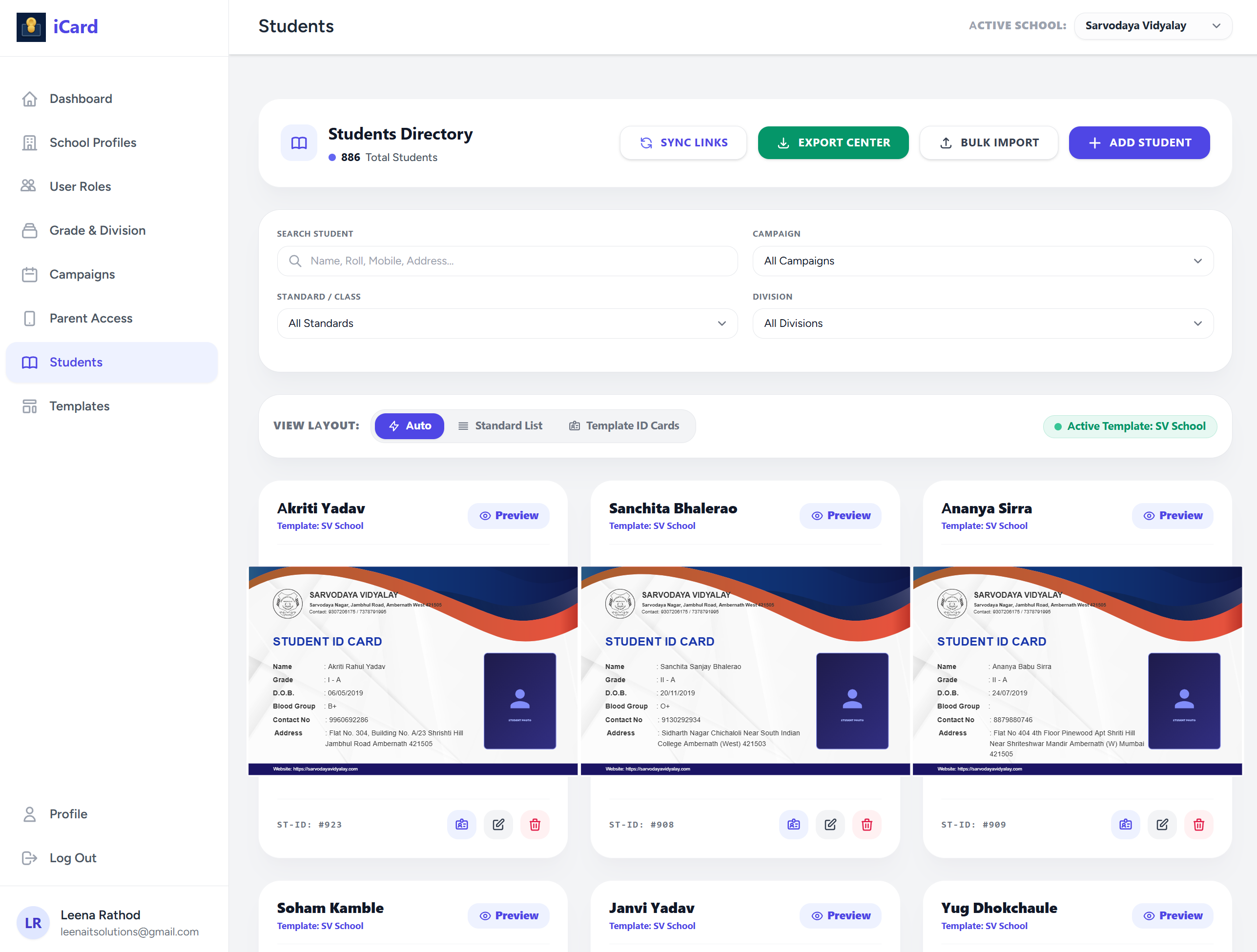
Student Management Spotlight
The central core of the iCard Maker ecosystem. Filter, search, import, and download thousands of records with zero-latency controls.
Search & Filters
Locate records instantly by grade, section, or campaign attributes.
Bulk Import / Export
Upload and match standard CSV/Excel roster databases in a single action.
Template Linkage
Assign layout templates to individuals or entire grades dynamically.
Full CRUD operations
Preview, crop images, modify fields, or delete candidate profiles.
Smart Student Registration
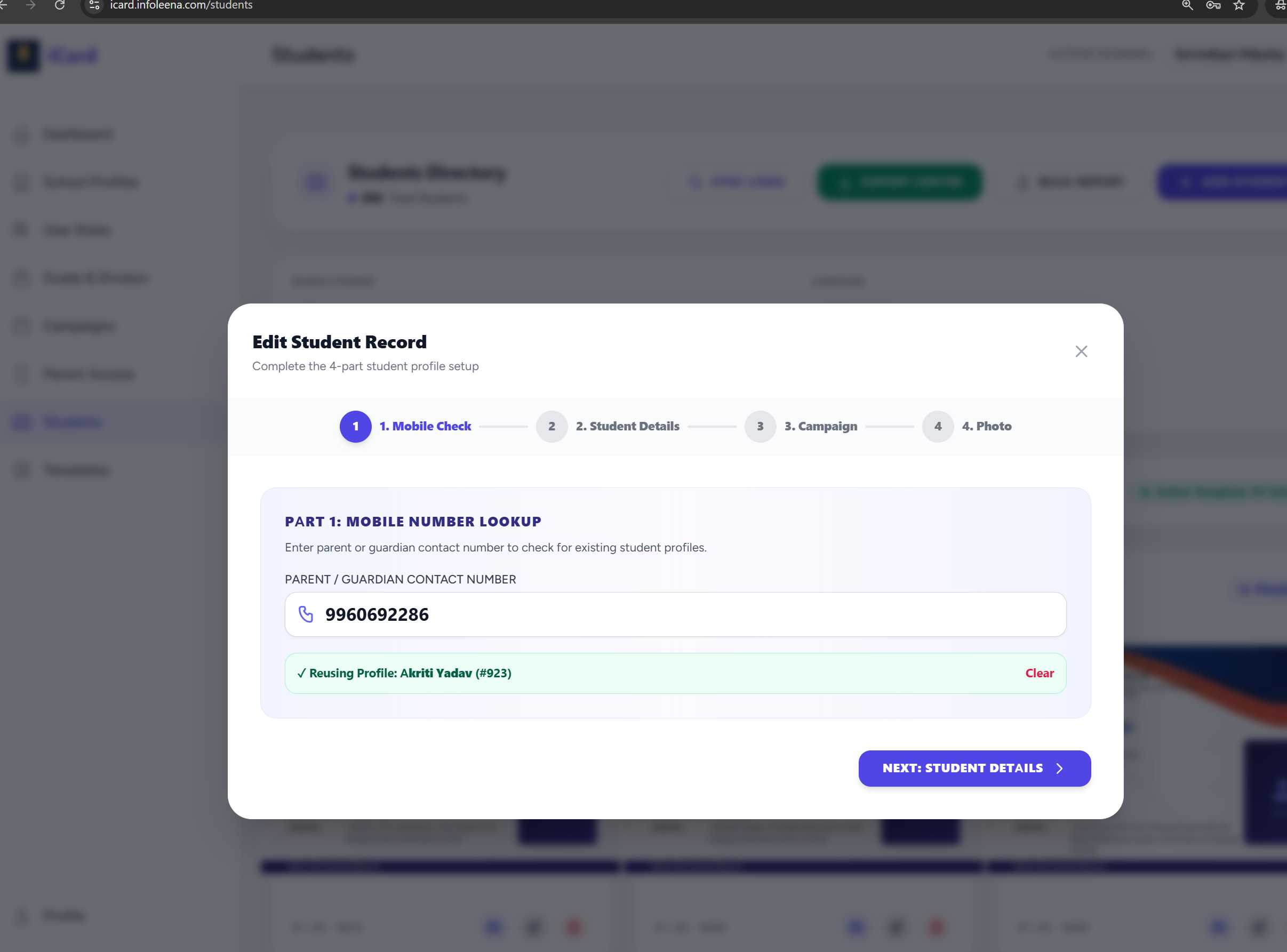
A fast, structured 4-step wizard interface designed specifically for parents. It minimizes input fatigue and enforces crop parameters directly in the client browser.
💡 Reusing Profile Functionality
Parents can check mobile logs to automatically reuse existing profile details when enrolling siblings, preventing duplicate data entries.
Wizard Interface Workflow
Step 01
Mobile Check
Step 02
Details
Step 03
Campaign
Step 04
Photo
ID Card Template Studio
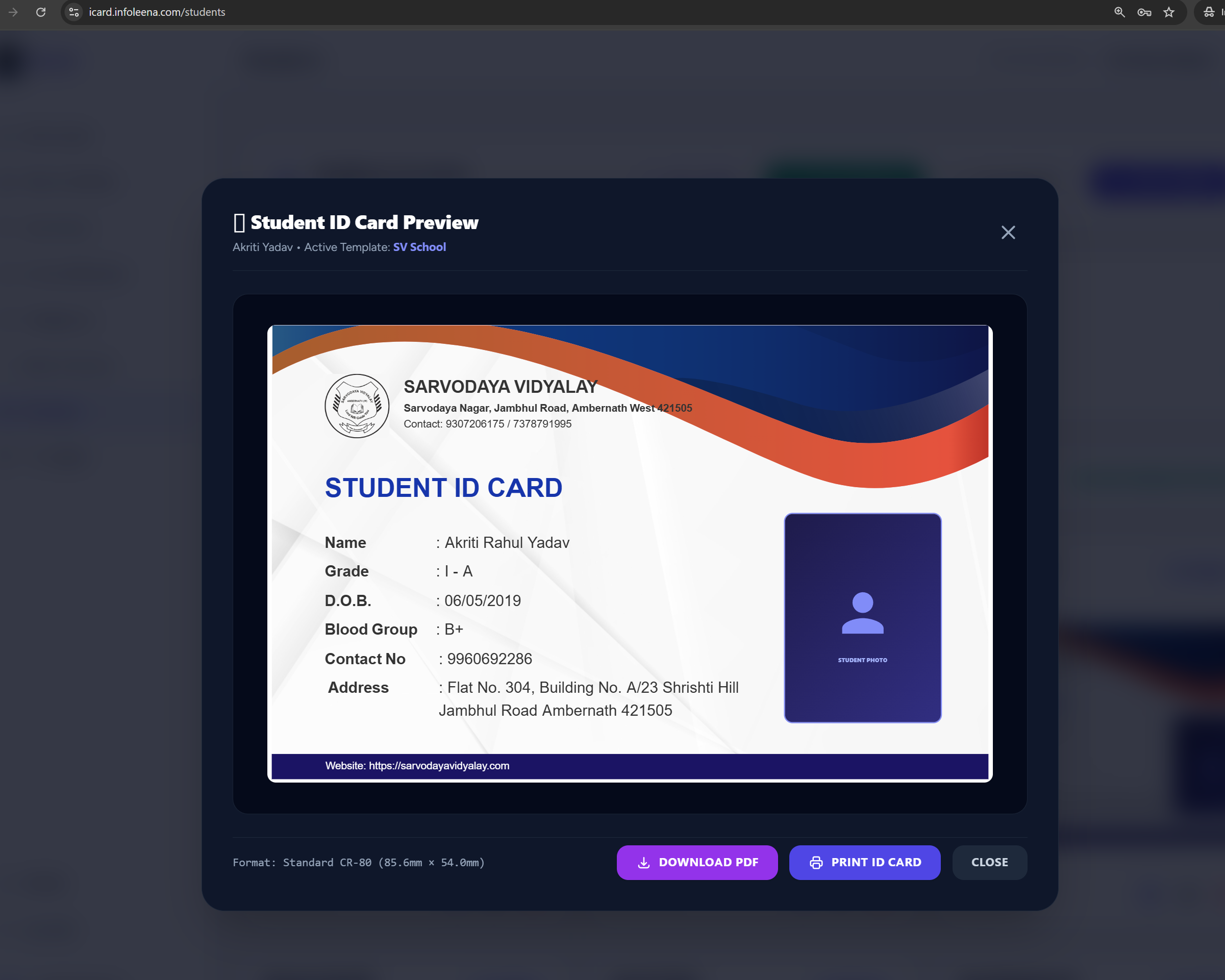
A powerful visual designer supporting portrait and landscape configurations. Setup master presets, position details dynamically, import/export template JSON structures, and configure backgrounds.
ID Card Generation & Printing
Auto-maps registered database fields into custom designs in real-time. Export bulk printable PDF imposition sheets (8/10 grids with cut marks) or high-res candidate image packages.
Execution Flow
The Verification & Printing Lifecycle
Our automated data loop ensures card integrity by keeping information fully checked and synchronized.
Import & Sync Rosters
Admins import student demographics through Excel/CSV sheets. Newly registered parents are auto-linked to their children's files instantly using normalized mobile numbers.
Upload & Crop Headshots
Parents and teachers use the Android App or mobile browser links to snap, crop, and upload student profile photos directly, eliminating manual flash-drive collections.
Staff Verification Check
Class teachers verify credentials and photo quality. Verified records are locked and approved for inclusion in the upcoming bulk printing export list.
Auto-Revoke Loop (Safety Trigger)
If any detail (e.g. name, section, photo) is updated post-verification, database observers instantly revoke verification status to block incorrect prints.
The iCard Maker Mobile Client
Bring your ID management setup to the field. Our official mobile client allows school admins, teachers, and parents to interact seamlessly.
For School Admins: Sync student rosters, invite staff members, and track verification queues from anywhere.
For Teachers: Walk around classes and easily snap and upload profile pictures of student candidates.
For Parents: Fill out detail forms, upload headshots of their children, and view active verified cards.
App Specifications
4.8+
User Rating
Lightweight
Optimized Size
Admins & Staff
Management Tool
Parents Portal
Direct Uploads
Ready to streamline your ID issuing?
Get access to all premium design models for free today.